Introduction to WhatsApp as a messaging platform
Building WhatsApp AI agents involves more than connecting a model to incoming messages. Amazon Web Services presents SMART, the Social Messaging Agent Runtime Toolkit, as a way to supply the messaging infrastructure around an agent running on Amazon Bedrock AgentCore. Its open source Python SDK and Terraform stack handle channel concerns including message ingestion, media processing, conversation memory, schedules, and outbound delivery. Developers retain responsibility for the agent’s behavior.
The appeal of this channel is straightforward. According to AWS’s technical walkthrough, WhatsApp is among the most widely used messaging applications across Latin America, India, and Southeast Asia. For businesses whose customers already use it, an agent can become part of an established communication habit. The same walkthrough, however, shows why the messaging platform requires substantial engineering beyond the agent loop.
SMART’s central proposition is to package that engineering into a reusable channel layer. Amazon Bedrock AgentCore supplies the agent runtime and persistent memory; SMART connects those capabilities to WhatsApp and supporting AWS services. This division lets teams concentrate on prompts, tools, and business logic while adopting a supplied implementation of the surrounding infrastructure.
That proposition needs an important qualification. AWS labels the implementation sample code for non-production use and calls for security and legal review before deployment to meet organizational requirements. The walkthrough also reports that Webmotors shortened an engagement originally scoped for two months to six weeks and reached controlled production internally ahead of a full launch. That is an AWS-reported customer example, not an independently verified benchmark or a delivery estimate for other teams.
Challenges in integrating AI agents with WhatsApp

The first challenge is translating channel events into something an agent can use. AWS describes inbound messages as nested payloads whose structure depends on message type. They require authentication and normalization. Voice notes, images, and documents introduce additional processing paths, so treating every inbound event as plain text leaves substantial work uncovered.
In SMART’s documented architecture, AWS End User Messaging Social receives WhatsApp messages, and events reach the processing layer through Amazon Simple Notification Service, or Amazon SNS. A webhook AWS Lambda function verifies the SNS message signature and normalizes the payload before passing it to AgentCore runtime. Voice notes pass through Amazon Transcribe; other media becomes a descriptor or reaches a developer-registered hook for custom handling. The distinction matters: a channel layer can route media without determining every application-specific interpretation of it.
The integration also has to manage the conversation around the model call. The webhook sends a read receipt and typing indicator, and it can provide a customizable, readable response when the agent fails or is throttled. With the optional DynamoDB state table enabled, it rate-limits each user to 20 messages per minute by default. Those conditions are part of the documented behavior; the rate limit should not be assumed to apply independently of that state table.
Outbound communication introduces a separate set of constraints. Messages sent more than 24 hours after the user’s last message must use a pre-approved Meta message template. Reminders therefore involve both scheduling and eligibility to send the chosen message. An agent capable of generating a reminder’s text still needs infrastructure that can deliver it under WhatsApp’s rules.
There is also a provisioning boundary that automation does not cross. After deployment, the WhatsApp Business Account must have its event destination pointed at the stack’s SNS topic. AWS documents an admin-console Bind action and the following CLI operation for this step:
aws socialmessaging put-whatsapp-business-account-event-destinationsWithout that association, inbound messages go nowhere without an error. A successful infrastructure deployment alone consequently does not establish a working conversation path.
Overview of SMART and its benefits for WhatsApp AI agents

SMART packages these channel responsibilities as a Python SDK and Terraform deployment. The agent-facing contract is small: accept an inbound message and return text, optionally with rich message attachments. Session setup, memory binding, and delivery scheduling sit in the surrounding toolkit. AgentCore hosts and scales the agent, while SMART provides the connection to the messaging channel.
The supplied infrastructure spans multiple services. A deployment provisions AgentCore runtime and memory; webhook, notification, event, and scheduler Lambda functions; an SNS ingestion topic; an event API; EventBridge Scheduler; S3 buckets for media and audit trails; and CloudWatch dashboards and alarms. AWS says the Lambda functions use Python 3.12 and include X-Ray tracing and dead-letter queues. CodeBuild builds the agent container image and Lambda layer during deployment, so local Docker is not required.
These components divide the work between message processing, the agent, and shared services. The webhook handles replies within a conversational turn. A notification function handles sends outside a turn, including proactive and scheduled messages. EventBridge Scheduler supports time-based outreach, while an event path lets external systems invoke application handlers. This separation is useful because an inbound conversation, a scheduled reminder, and an externally triggered notification enter the system differently even when they ultimately reach the same user.
AWS supplies three project blueprints:
| Blueprint | Documented starting point |
|---|---|
minimal | An echo agent without tools, skills, or message templates; the default when no blueprint is specified. |
personal-assistant | A Strands-based assistant with memory, per-user state, scheduling, skills, and rich, voice, and image media tools. |
appointment-scheduler | A booking flow covering items and time slots, confirmation, per-user appointment state, and reminders. |
Scaffolding creates agent.py, the deployment configuration socialagent.dev.yaml, handler stubs, and a vendored socialagent_runtime/ directory. The personal-assistant and appointment-scheduler blueprints also include tools, skills, and templates.yaml. The choice determines how much application structure a developer receives at the outset.
Local iteration is another significant part of the toolkit. The following command runs the real agent loop and tools in a terminal, with AWS channel input and output stubbed:
uv run socialagent dev --entrypoint agent.pyMemory uses a local file-backed session, state uses a local JSON file, and notifications appear in the terminal. One-shot schedules run immediately; recurring schedules register without firing. The /event and /schedule commands exercise the respective handler paths.
This environment can shorten the feedback loop, but its boundaries are explicit. Model calls remain real, so blueprints other than minimal need AWS credentials and Bedrock access. The terminal environment does not simulate IAM or Meta template review. AWS recommends testing through a deployed stack before considering the implementation complete.
Deployment requires a linked WhatsApp Business Account and registered phone number in AWS End User Messaging Social, an AWS Region with AgentCore runtime and memory available, and enabled model access. Local prerequisites include Python 3.11 or later, Terraform 1.7 or later, uv, and the AWS CLI. After the documented bootstrap and configuration steps, the following command runs Terraform to provision the stack:
uv run socialagent deployThese prerequisites qualify the promise of a single deployment command: account setup and the subsequent messaging-account binding still require attention.
Role of Amazon Bedrock AgentCore in memory management
Persistent memory addresses a different problem from message delivery: preserving context when a conversation continues across sessions or after an agent deployment. According to AWS, AgentCore memory maintains conversation history across both boundaries, automatically scoped to each phone number. In the supplied example, create_session_manager() binds the agent to that memory.
The documented default retention period is seven days. Persistence should therefore be understood within that retention period, rather than as an indefinite archive. This is a meaningful design constraint for applications whose conversations may resume after a longer interval: the evidence supports retained history under a configured retention policy, not unlimited recall.
SMART also distinguishes conversation memory from per-user application state. AgentCore provides conversation history, while an optional DynamoDB table supplies per-user state. The appointment blueprint, for example, stores a confirmed appointment as per-user state. Treating these as separate concerns makes the architecture easier to assess: conversational context and a stored booking serve different purposes, even when both relate to the same phone number.
Framework support is another part of the memory story. AWS says Strands Agents receives memory wiring automatically. LangGraph, Pydantic-AI, and other frameworks that expose control of the conversation loop can integrate through the SDK’s memory and session hooks. That provides a path beyond Strands, while still leaving integration work where a framework needs it. Developers retain control over their model, framework, prompt, and business logic.
The toolkit also manages the ordering of tool-generated messages. AWS describes a failure mode in which sending messages while the agent is still working corrupts conversation history and causes the user’s next message to fail. Its socialagent_notify_context() wrapper collects outbound messages during the turn and releases them in order after the turn finishes. A tool can therefore request a progress update or button list without taking responsibility for delivery timing itself.
This mechanism illustrates why channel integration and memory cannot be evaluated entirely separately. A reply can reach the user yet still leave the conversational record in a problematic state. SMART’s documented approach coordinates message emission with turn completion, making delivery order part of maintaining usable conversation history.
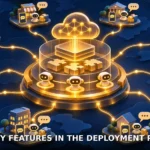
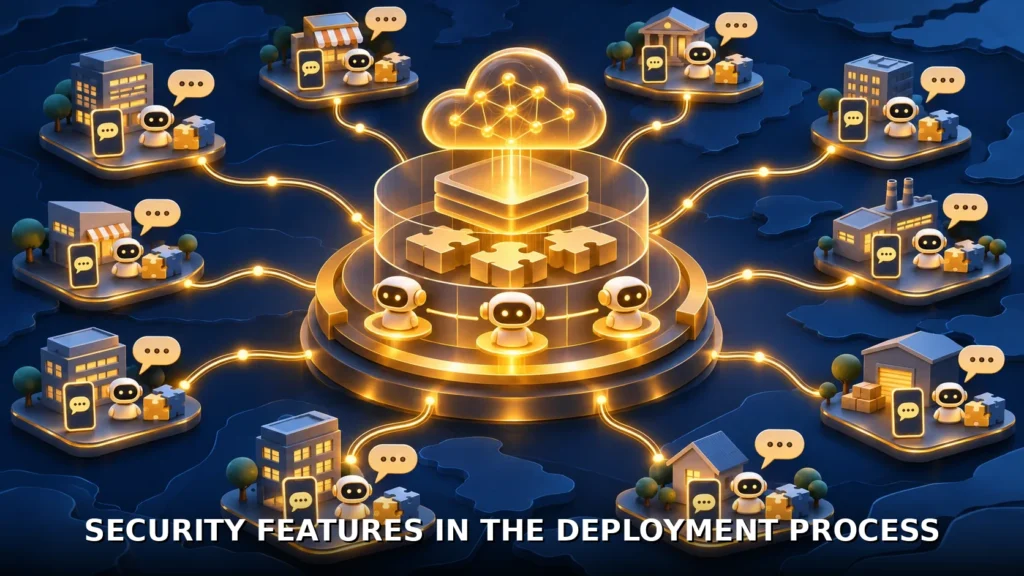
Security features in the deployment process
SMART’s Terraform stack creates and configures an Amazon Bedrock Guardrails resource by default. An environment configuration variable allows developers to use that resource, supply their own guardrail, or opt out. AWS explicitly leaves the controls to the team deploying the agent. The supported conclusion is that the integration supplies guardrail wiring; it does not establish that a particular application’s safeguards have been chosen or validated.
The processing and event paths have additional controls. The webhook verifies the SNS signature before normalizing inbound payloads. External systems post events to an API Gateway endpoint protected by an API key and a Lambda authorizer; the event then passes through SNS to an event Lambda handler. Secrets Manager supplies credentials within the shared infrastructure. These controls address specific entry points and supporting resources, rather than constituting evidence of an end-to-end security assessment.
Operational visibility accompanies those controls. AgentCore Observability traces agent steps for debugging and audit, while the deployment includes CloudWatch dashboards and alarms, S3 audit storage, and Lambda tracing and dead-letter queues. These facilities give operators information for investigating behavior and failures. Their inclusion does not remove the need to test the actual message paths and application logic.
Template management creates a further deployment dependency. Where a project includes templates.yaml, deployment synchronizes templates with Meta, and a rejected template fails the deploy. AWS documents the following command for independent synchronization:
uv run socialagent templates syncA normal sync skips approved templates. The following forced-sync operation re-registers every template and sends approved ones back through review:
templates sync --forceThis is a concrete reason to treat template changes as operational changes with consequences beyond the agent’s prompt.
The resulting trade-off is clear. SMART offers a supplied implementation of substantial WhatsApp integration work, including persistent context, scheduling, authentication paths, and configurable guardrails. The developer still owns agent behavior, framework integration where needed, template content, and deployment review. AWS’s non-production sample-code designation remains material: the toolkit provides infrastructure and defaults, while suitability for a particular deployment requires assessment of the assembled application. The practical value lies in making the channel layer concrete and reusable without confusing provisioned infrastructure with a fully validated service.