

The question of agent frameworks vs libraries comes up the moment you move from calling a language model to building something that acts. A single model call answers a question. An agent takes a goal, calls tools, reads the results, and decides what to do next. Both frameworks and libraries will help you build that, but they help in opposite ways, and picking the wrong one is how a weekend prototype turns into a system nobody can debug.
The short version: a framework owns the agent loop, and a library does one job inside a loop you own. Much of the rest — the learning curve, the lock-in, the debugging pain — follows from that one difference, though how much depends on the tool you pick.
What an agent framework actually is
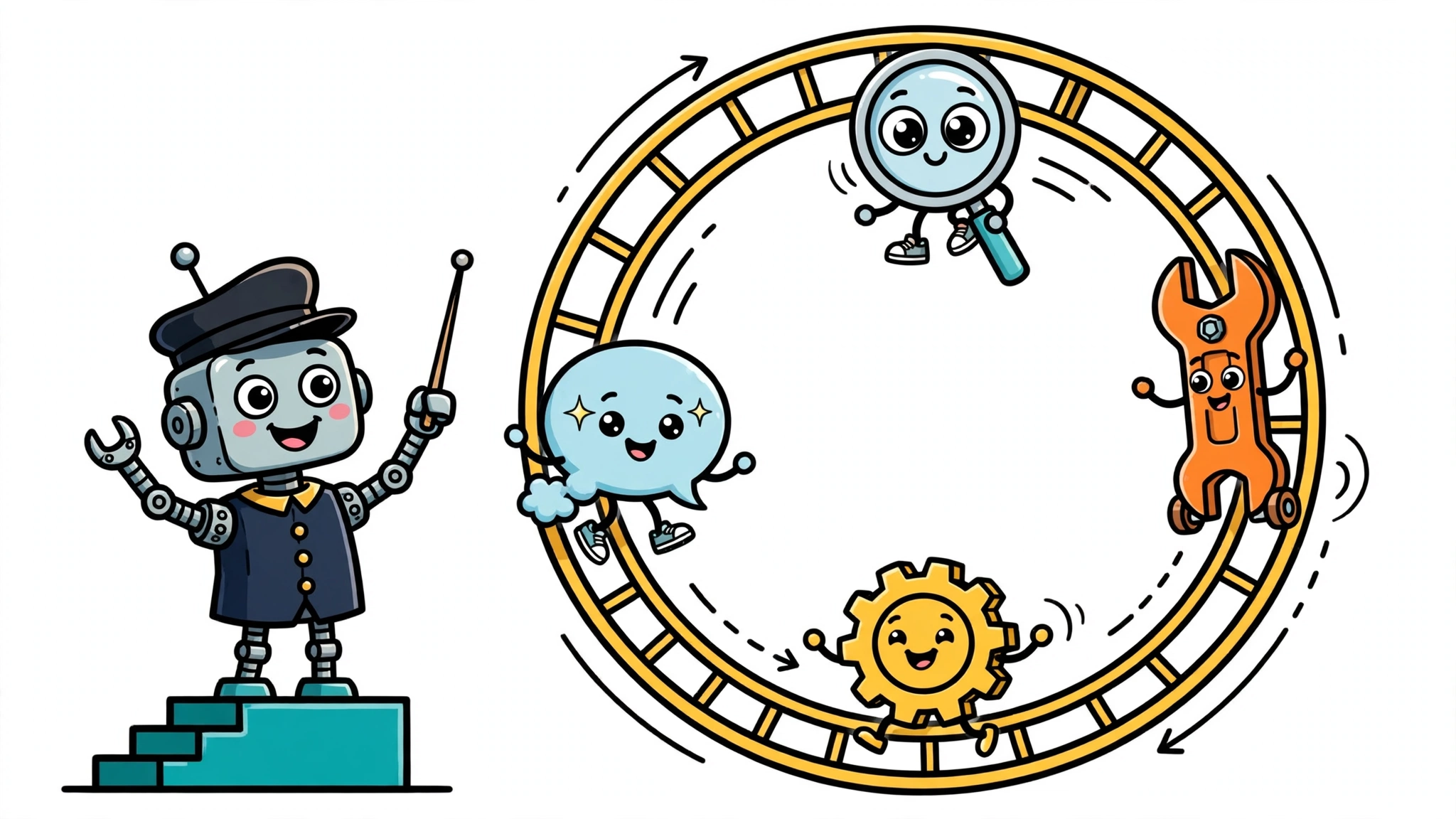
An agent framework is a runtime that runs the loop for you. In a higher-level framework you describe the agent — its model, its tools, its instructions — and the runtime decides the order of reasoning, tool calls, and state updates; in a lower-level runtime such as LangGraph, you define that order yourself. Either way, the framework supplies opinionated structure: agents, tools, memory, and orchestration wired together by convention, so you write less plumbing and more intent.
Anthropic, in its engineering post Building Effective Agents, describes agents as systems where large language models dynamically direct their own processes and tool usage. A framework is what turns that definition into running code: it owns the loop the model drives. The same post is candid about the cost. Frameworks, it says, “make it easy to get started by simplifying standard low-level tasks like calling LLMs, defining and parsing tools, and chaining calls together. However, they often create extra layers of abstraction that can obscure the underlying prompts and responses, making them harder to debug. They can also make it tempting to add complexity when a simpler setup would suffice.”
The major frameworks each have a different opinion about control flow:
- LangChain is the high-level framework. Its
create_agentfunction is the standard way to build an agent in LangChain 1.x: you give it a model and tools, and it returns an agent that already knows how to run the loop. LangChain 1.0 was released on October 22, 2025, alongside LangGraph 1.0, with a commitment to no breaking changes until 2.0. - LangGraph is the lower-level framework and runtime underneath it. You define state, nodes, and edges yourself, and the graph can loop back on itself, which enables retries, conditional branching, and durable execution across failures. Since October 2025, LangChain’s own agents run on the LangGraph runtime.
- CrewAI organises agents into role-based teams. An agent has a role, a goal, a backstory, and tools; a task is a discrete unit of work with a description and an expected output; a crew runs tasks under a process that is sequential by default or hierarchical, where a manager agent routes work. It also offers Flows, a deterministic, event-driven layer for when you need explicit control over the path.
- OpenAI Agents SDK, released in March 2025, is deliberately small: a few primitives — agents, tools, handoffs, guardrails, and tracing — with a Runner that drives the loop until a final output or a guardrail trips. A handoff is exposed to the model as a tool call, so the model itself decides when to delegate to another agent.
- AutoGen, from Microsoft Research, models multi-agent work as conversation: agents exchange structured messages in a group chat, with a speaker selector deciding who speaks next. It reached 1.0 general availability in February 2026 after an asynchronous, event-driven rewrite — and it is now in maintenance mode, with Microsoft recommending the Microsoft Agent Framework, released as 1.0 in April 2026, for new projects.
Here is what adopting a framework looks like in practice. In LangChain 1.x, constructing an agent is one function call:
from langchain.agents import create_agent

agent = create_agent(model="openai:gpt-4o-mini")
That call sets up the whole loop — the model call, the tool execution, the decision about when to stop — because the loop is the framework’s job, not yours. The snippet shows construction only: it supplies no tools and runs nothing, so treat it as the shape of the setup, not a running agent.
What an agent library actually is
An agent library is a building block you call from code you own. It does one job well and stays out of the rest. You keep control of the loop: you decide when the model is called, what happens with the result, and when to stop. The library never asks to run your program.
Two examples make the shape concrete. Instructor is a library for getting structured, validated data out of a language model. It patches your provider’s client, adds a response_model parameter, validates the response against a Pydantic schema, and retries with the validation error when a response fails validation. It has over 3 million monthly downloads and supports more than 15 providers — and it owns no control flow at all. Your code still runs the loop; Instructor just makes one step of it reliable:
import instructor
from openai import OpenAI
from pydantic import BaseModel

class SupportTicket(BaseModel):
    issue: str
    priority: str

client = instructor.from_openai(OpenAI())
ticket = client.chat.completions.create(
    model="gpt-4o-mini",
    response_model=SupportTicket,
    messages=[{"role": "user", "content": "My order never arrived."}],
)
LiteLLM is the same shape in a different job: it lets your code call many LLM providers through one OpenAI-format interface. It translates inputs to each provider’s endpoints, guarantees a consistent output shape, and maps provider exceptions to the OpenAI exception types. It also offers a Router for load balancing across deployments. But again, your code owns the loop — LiteLLM just makes the model call itself uniform.
Libraries tend to compose well. You can often use Instructor for structured output and LiteLLM for provider access in the same program without adopting anyone’s structure — though each package still brings its own conventions, and a library change can still ripple into surrounding code. That is the library bargain: small scope, and no control over the loop.
Agent frameworks vs libraries: the core differences
Put side by side, the two approaches differ on the dimensions that change a build decision:
| Dimension | Framework | Library |
|---|---|---|
| Who decides the next step | The framework’s runtime, driven by the model | Your code |
| Scope | The whole system: loop, state, tools, orchestration | One capability, such as structured output or provider access |
| Flexibility | You adopt its conventions; middleware and configuration let you customise the loop, but swapping frameworks is real work | You can often swap a dependency without redesigning the rest, though the effort depends on how deeply it is integrated |
| Learning curve | You learn the framework’s model of an agent | You learn one function or call |
| Debugging | Abstractions can hide the prompts and responses, making failures harder to trace — though built-in tracing and middleware let you inspect the loop | The code is yours, so a failure usually localises to your own call — though a fault inside the library can still be hard to trace |
| Upgrades | A framework change can reshape your agents; stability commitments matter | An upgrade usually touches one capability, though it can still ripple into surrounding code |
The debugging row is the one Anthropic stresses most. Its post found that the most successful implementations “weren’t using complex frameworks or specialized libraries. Instead, they were building with simple, composable patterns.” The loop is the part that is hardest to debug when it misbehaves, and a framework is what owns it.
The upgrade row has a concrete illustration. AutoGen went through a major rewrite — v0.4, then 1.0 general availability in February 2026 — shifting from synchronous exchanges to a fully asynchronous, event-driven messaging layer, and is now in maintenance mode, with Microsoft pointing new projects at the Microsoft Agent Framework. LangChain answered the same worry differently: its 1.0 releases commit to no breaking changes until 2.0.
Where the line blurs
The boundary is not clean, and honest articles say so. The clearest example is LangChain and LangGraph. LangChain is the high-level framework; LangGraph is the lower-level runtime it runs on. Since the October 2025 1.0 releases, LangChain’s create_agent runs on LangGraph under the hood, and the older langgraph.prebuilt.create_react_agent was deprecated in favour of it. The two are complementary layers, not alternatives: LangChain supplies the high-level agent abstraction, LangGraph supplies the runtime beneath it.
AutoGen shows the same layering from the other side. Its AgentChat API — AssistantAgent, UserProxyAgent, GroupChat, termination conditions — is the framework most builders use, and it runs on the asynchronous, event-driven messaging layer that arrived with the 1.0 rewrite. The framework is the conversation layer; the messaging underneath is the machinery it runs on. Many frameworks have a library-shaped layer underneath, and many libraries grow framework-shaped features over time. The label matters less than the question underneath it: who owns the loop?
That question is also the test for everything in between. If a tool tells your code when to run, it is acting as a framework. If your code tells the tool when to run, it is acting as a library. The same package can do both in different places, which is why the honest answer to “framework or library?” is sometimes “which part?”
Choosing between a framework and a library
Start with the task, not the tool. A single well-defined job — classify this ticket, extract these fields, summarise this document — is a library job. The loop is trivial: one call, maybe a retry. A multi-step, multi-tool workflow where the path cannot be known in advance is where a framework earns its keep: the loop itself is the hard part, and owning it means writing retry logic, state handling, and stopping conditions yourself.
Then consider who will debug it. Anthropic’s advice is to find the simplest solution possible and only increase complexity when needed. If your team cannot yet read the framework’s loop when it misbehaves, the framework’s convenience is borrowed time. Start with direct API calls and a library or two; adopt a framework when the loop you wrote by hand has become the thing you spend your time maintaining.
A short checklist applies the same logic to any project:
- Can you write the loop in a few lines of code? Use libraries. You do not need a framework yet.
- Do you need state that survives failures, or pauses for human approval? That is framework territory — LangGraph’s persistence and human-in-the-loop support exist for exactly this. Retries alone are not the deciding factor: a library can retry within a single call, as Instructor does when validation fails; what points to a framework is orchestration across steps.
- Is the work a conversation between specialists that must critique and correct each other? A conversation framework such as AutoGen or the Microsoft Agent Framework, or a role-based team in CrewAI, fits better than a single loop.
- Are you still learning what the agent should do? Stay with libraries and direct calls until the shape of the work is clear. A framework chosen before the problem is understood locks in guesses.
Common mistakes when choosing
The first mistake is reaching for a framework for a job a few function calls would solve. Anthropic’s advice is to find the simplest solution possible and only add complexity when needed. A framework’s loop can add cost — in latency, in model calls, in debugging surface — and a job that does not need a loop should not pay it.
The second mistake is treating a framework’s magic as understanding. A framework’s abstractions can hide the prompts it sends and the responses it receives, and when the agent does something strange, that hidden layer is often where the answer lives. If you cannot say what the framework did on the last turn, you cannot fix the next one — so use the tracing and inspection tools the runtime provides.
The third mistake is locking into fast-moving abstractions before they stabilise. AutoGen’s history is the cautionary tale: a synchronous 0.2 API, a ground-up asynchronous rewrite in 0.4 and 1.0, and then maintenance mode with a successor framework to migrate to. None of that makes AutoGen a bad tool — but a team that built its agents on the 0.2 API paid for every transition. Check a framework’s stability commitments, not just its feature list.
The fourth mistake is ignoring that the framework’s runtime, not you, executes the loop’s retries, state updates, and error handling. That execution is the whole point of a framework, and it is also the whole risk — though the behaviour itself is often yours to define, as it is in LangGraph, where you define state, nodes, and edges. Those are framework decisions, and they need to be decisions you have read and agreed with, not defaults you discovered in production.
The question of agent frameworks vs libraries is not a contest with a winner. It is a question about ownership: who runs the loop, you or the runtime? Answer that for your project, and the choice usually makes itself.