

At MAX 2026 in Miami, Adobe announced a major expansion of agentic AI across its creative tools. The new Adobe AI agents now work across Photoshop, Premiere, Illustrator, InDesign and Firefly, carrying out multi-step creative work instead of waiting for one prompt at a time. Alongside them, Adobe previewed a local Model Context Protocol (MCP) integration that lets ChatGPT, Claude and Gemini work directly inside Creative Cloud apps.
What Adobe announced at MAX 2026
Adobe’s announcement at MAX 2026, the company’s creativity conference in Miami, centres on the Adobe Creative Agent, which is expanding across Creative Cloud and Firefly. The agent orchestrates multi-step workflows so creative professionals can delegate work and spend more time on the taste, style and vision that make their work stand out. Adobe describes the change as transforming its tools into agentic workflows built with the precision and control professionals expect.
There are two threads. The first is agents inside Adobe’s own apps: an AI Assistant, powered by the Adobe Creative Agent, is coming to the flagship desktop products, and the Firefly AI Assistant is gaining always-on agents that keep working in the background. The second is openness: a local MCP integration will let professionals keep working from the third-party agent they already use, while that agent calls on Photoshop, Illustrator, Premiere and After Effects when a task needs them.
The shift matters because it changes what the software is for. Adobe started this push in April 2026, when it deployed the Adobe Creative Agent in Firefly in beta. MAX 2026 extends that agent across Creative Cloud, so it can orchestrate multi-step workflows in the flagship apps as well as in Firefly, and take on recurring background tasks while the creator reviews the plan and approves the results.
Adobe AI agents inside Photoshop, Premiere and Firefly
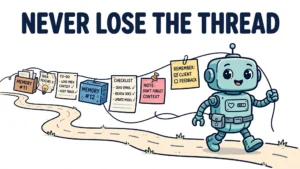
A single Adobe Creative Agent powers the Firefly assistant, the Creative Cloud assistants and a new private beta in Premiere mobile. In Firefly, the assistant can remember formats, colours, brand guidelines and characters to apply across projects.
The AI Assistant is coming in beta to Premiere, Illustrator, InDesign, After Effects and Frame.io; in Photoshop it is available through the Photoshop beta app. It lets users describe what they need in their own words and execute complex, multi-step tasks in the context of their work, rather than issuing one command at a time.
In Firefly, the AI Assistant can design social media assets, resize content for multiple platforms and edit a video based on a reference image. Adobe is also making the agent proactive and always on, so it can gather more context about ongoing work and be present for any action. The always-on agents are being previewed first in the Firefly AI Assistant, covering Firefly and Adobe Express, and they take on recurring background work: organising incoming assets, checking quality and preparing content for different channels. The creator sets the goal, reviews the plan and approves the results. Adobe is also making quick actions easier, like removing a background or generating a video thumbnail.
More is coming in the next few months. The Firefly AI Assistant will integrate with the user’s personal and work calendar, as well as WhatsApp, Slack and Microsoft Teams, so it can handle a post directly through the app and post on the user’s behalf to social media platforms including Instagram, TikTok and LinkedIn. Alexandru Costin, Adobe’s vice president of generative AI and Sensei, put it this way: “Your AI assistant should be capable of working with you, and working with your calendar, social channels, and your work channels.”
MCP: ChatGPT, Claude and Gemini inside Creative Cloud

The most consequential part of the announcement may be the local MCP integration. MCP, the Model Context Protocol, is the connection Adobe is using to bring third-party agents into its apps. Adobe’s local MCP integration will let third-party agents such as ChatGPT, Claude and Google Gemini work within Creative Cloud apps, including Lightroom, Photoshop, Illustrator and Adobe Express.
According to Adobe, these agents will be able to understand, create and edit within the apps. The key detail is that the integration is local: the agent makes changes directly in native project files on the user’s computer, in Photoshop, Illustrator, Premiere and After Effects.
Adobe has been here before. In April 2026 it launched a connector for Claude that allowed it to use more than 50 tools from Photoshop, Illustrator and Premiere within Anthropic’s cloud-based service. The new local MCP flips that around: the agent works locally, in the apps, on the user’s own files, and the user keeps working from the third-party agent they already use.
What exactly the MCP integration will expose is not yet settled. Deepa Subramaniam, Adobe vice president, told TechCrunch that the company is still figuring out which capabilities to expose and will rely on user feedback: “We are still figuring out where and when and how to draw the line.” The local MCP integrations will be available in private beta in early 2027.
There is also a counterpoint worth noting. Figma co-founder Dylan Field has said that MCP is not a perfect standard and benefits frontier labs more than others. The caution is relevant: the value of the standard still depends on who builds the agents and who controls the endpoints.
The new generative tools: relighting, removal and video assembly
Alongside the agents, Adobe announced a wave of generative features across its flagship apps. In Photoshop, the headline additions are Generative Restyle, a new relighting feature and sliders for prompt-based generative styles, which let users explore variations of an image by describing the look they want. The Remove tool has been expanded so that clicking a single object selects related and linked elements: clicking a glass, for example, also removes its reflection on a surface. A new Quick Compare feature shows a before-and-after view of changes, and Adjust Color lets users change the colour of selected elements.
Premiere is getting Generative Remove in beta, which lets editors erase unwanted objects and distractions such as boom mics and background clutter directly from video. The editor clicks on an object to remove it, and a new generative AI model tracks the object across frames and fills in the frame where the removed object appeared. Premiere is also getting a new colour grading system, called Color Mode, aimed at professionals.
Lightroom is getting Open Eyes in beta, which corrects blinking eyes in photos, alongside a blemish removal tool. Its Remove tool, also in beta, can detect and remove dust and spots from scanned photos using AI, through a feature Adobe calls Dust and Spot Removal in Healing, and can automatically remove unwanted reflections. The same tool will roll out to Lightroom mobile, where it will automatically remove people and other distractions.
Firefly is gaining an AI-powered video tool that assembles a video from clips, images and sound effects. It can now generate videos in 16:9 and 9:16 resolutions, and generate a video from a reference image.
Firefly’s expansion: Builder, graphs and third-party models

Firefly, Adobe’s all-in-one AI creative studio, is expanding well beyond image generation. Firefly Design, in beta, brings raster, vector, motion, 3D and print together on a single canvas for creating, collaborating, reviewing and delivering work. Firefly Graph, also in beta, lets users build creative processes they can use again and again, combining AI models and production tools into repeatable workflows.
Firefly Builder, in private beta, is a prototyping tool that turns natural-language instructions into interactive prototypes for websites, presentations and apps. It moves Firefly into Figma’s territory: a place to show off ideas and test them before committing to a full design. Two more additions round out the Firefly announcements. Firefly Scene can create 3D scenes from text prompts and references, and Firefly Shared Canvas allows multiple people to edit and create using Firefly together, in real time.
Firefly also continues to offer a choice of models rather than Adobe’s own alone: Adobe Firefly plus partner models including Google, Kling, Runway, Luma, OpenAI, ElevenLabs, Black Forest Labs and ByteDance. Topaz Labs is releasing two image models for Firefly: Wonder 4 for upscaling and denoising, and ImageHDR for turning standard images into HDR.
Adobe Express is getting new Firefly features too, including new image generators and models from Google and OpenAI, and on-brand content from brand kits and style templates. Express will also feature Adobe Express Assistant, which handles text generation, image editing and answering user questions, and will be available in Adobe Express and Adobe Acrobat. InDesign gains co-editing in beta, so teams can work on the same document together.
What this means for creative workflows
The practical question is where agents save real time. Based on what Adobe has shown, it is the repetitive work: removing objects and distractions, correcting blinking eyes and blemishes, resizing assets for multiple platforms, organising incoming material, preparing content for different channels and assembling rough video from clips. These jobs are easy to describe, easy to check and tedious to do by hand. An agent that handles them in the background, with the creator reviewing the plan and approving the results, is a genuine change to the working day.
The second change is the shift from prompting to delegating. Prompting for a single image is a one-off exchange; an always-on agent that takes on recurring work and remembers brand guidelines and characters is closer to a colleague with a brief. The planned calendar and messaging integrations could extend that further: an assistant that knows when something is due might act on time without being asked, but that behaviour is still to come.
The third change is where the work happens. With local MCP, a creator can stay in the chatbot they already use and have it drive Photoshop, Illustrator, Premiere or After Effects directly. The app becomes a tool the agent operates, rather than the place the creator has to live. Some will want the agent inside the app; others will want to direct it from outside.
What has not changed is where human judgement sits. Creative judgement, client taste and final decisions are still the creator’s. Adobe’s own framing of the always-on agent makes this explicit: the creator sets the goal, reviews the plan and approves the results. The agent does the work; the human decides whether the work is good enough.
Limits and open questions
Not everything Adobe announced is available now. New Creative Cloud capabilities are generally available from 10 November 2026, but the AI Assistants are in beta in the flagship desktop apps, with Photoshop’s assistant in the Photoshop beta app. Firefly Design and Firefly Graph are in beta, InDesign co-editing and Lightroom Open Eyes are in beta, Firefly Builder is in private beta, and the local MCP integrations will not enter private beta until early 2027.
Several questions remain open. Adobe has not published the full list of MCP endpoints it will expose, and by its own account it is still deciding where to draw the line, guided by user feedback. No pricing details were given. How the always-on agent handles privacy and data from ongoing creative work has not been detailed either, and there is no firm launch date for the calendar and messaging integrations.
What to watch next is which MCP endpoints Adobe opens up, how approval works when an agent acts directly in a project file, and whether the always-on agents prove reliable enough at recurring background work to earn trust. The announcements show where Adobe is heading; the betas will show whether the agents can do the work.