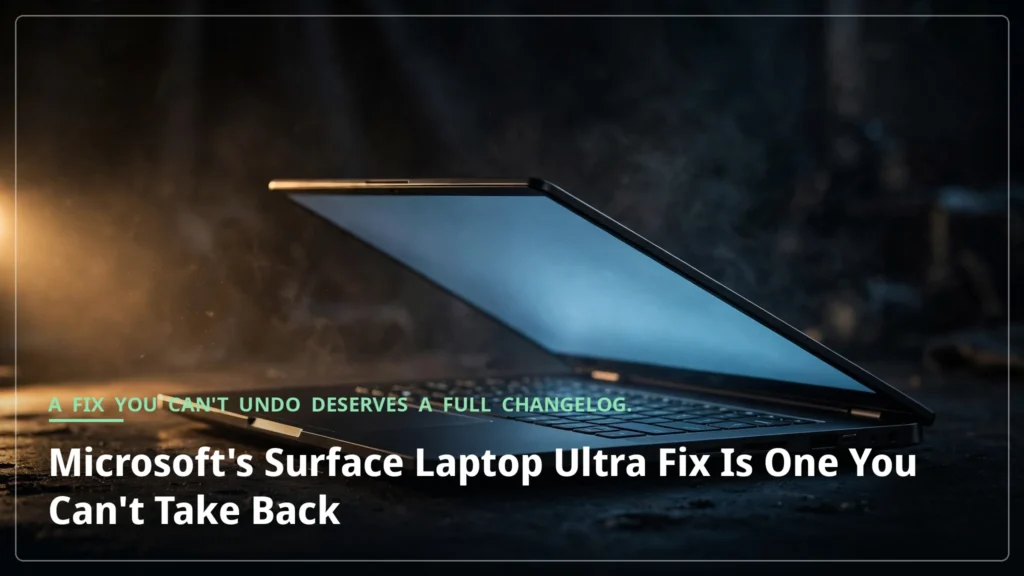



Six days after Microsoft’s Surface Laptop Ultra began shipping, the company shipped a fix for it. The October 22 firmware update addresses the launch bugs that reviewers had already documented in print: screen flickering, unexpected restarts, and reboot times so long they became a punchline. On paper, it is exactly the response early buyers wanted.
There is a catch, and it is not a small one. The update cannot be uninstalled or reverted to an earlier version, and Microsoft has described everything beyond the three named fixes only as unspecified “additional bug fixes and general performance improvements.” Owners of a laptop that starts at $2,599 are being asked to install a fix they cannot undo, on the strength of a changelog that does not say what the rest of it does.
That is the story of this update. Not the three bugs it names, but the ones it doesn’t — and the permanence of the thing that is supposed to cure them.
The Surface Laptop Ultra bugs reviewers found

The Surface Laptop Ultra’s launch problems were not rumors or forum speculation. They were in the reviews. The Verge’s Tom Warren found rebooting the device “surprisingly slow,” and noticed that “moving a window around rapidly sometimes left a little trail.” Then there were the speakers. Warren ran into interference “loud enough to sound like firecrackers” — a problem that went away when he rebooted, and then came back. “It’s happened a couple of times now,” he wrote.
Other reviewers found more. Notebookcheck’s testing of the Mini-LED panel turned up slow response times, visible ghosting, and backlight flickering, with no functioning local dimming during testing.
So when Microsoft’s update arrived on October 22, it was answering a public record, not a private complaint. The question was never whether the bugs were real. The question was which ones the fix would cover, and how much of the answer Microsoft would actually give.
What’s in the October 22 update
What Microsoft has said is precise, as far as it goes. The update appears in Windows Update as “Microsoft Corporation System Hardware Update (200.0.7.0)” and covers three named issues: an issue that could cause extended reboot times, a problem that could cause screen flickering, and an issue that could trigger unexpected restarts. It includes updated Surface TCON firmware (161.32.1.42), Surface UEFI firmware (7.3.0.0), and Surface Integration components (142.0.8.0), along with a new panel driver.
The rollout is staged, so not every device gets it at once. Owners who don’t want to wait can install it manually from Microsoft’s driver and firmware page. Microsoft also says additional steps “may be required” after installing, and recommends restarting the Surface to complete any remaining part of the installation. There is a certain symmetry to that: the fix for the slow reboot starts with a reboot.
And Microsoft has pledged multi-year firmware support for the device through 2032, so this is unlikely to be the last update the laptop sees. The platform is young; the company is signaling that it intends to keep working on it.
The part the release notes leave unspecified
Here is where the update stops being a straightforward good-news story. The firmware cannot be uninstalled or reverted. Once it is on the machine, it is on the machine. And the release notes describe everything beyond the three named fixes with a single catch-all phrase: “additional bug fixes and general performance improvements.”
That is a lot of trust to ask for. An owner installing this update is changing the behavior of a $2,599 machine in ways Microsoft has not itemized, with no path back if something in the unspecified portion makes things worse.
To be fair, this is also how firmware updates usually work. Vendors routinely bundle unspecified fixes, and irreversibility is standard practice for firmware. The three named fixes cover the documented problems, and the staged rollout limits the blast radius if anything goes wrong. Microsoft is, in that sense, doing nothing unusual.
But “nothing unusual” is not the same as “nothing to ask about.” The owner’s side of that bargain is that they install the thing anyway, because the alternative — living with a laptop that restarts itself and flickers — is worse. That is a reasonable bargain when the named fixes match the problems you have. It is a thinner bargain when the problems you have are the ones Microsoft hasn’t named.
The questions still open
The most alarming bug in the public record is the one Microsoft has not confirmed as fixed. The Verge asked Microsoft whether the speaker interference Warren experienced is among the additional fixes. The question, as of the magazine’s report, had no answer.
The same uncertainty hangs over the rest of the display complaints. The release notes do not explicitly confirm fixes for the lag, stuttering, freezes, or display ghosting that owners and reviewers reported. The “general performance improvements” could cover some of them — or none of them. It is too early to say, and Microsoft’s wording gives nobody a basis for saying otherwise.
Notebookcheck, for its part, believes the ghosting will not be fixable with a firmware or software update at all. If that assessment is right, then at least one of the display’s problems is a hardware characteristic owners will have to live with, not a bug awaiting a patch. A full changelog would at least say whether this update targets the ghosting. Whether the ghosting can ever be fixed remains an open question.
None of this means the update is a bad one. The three named fixes address real, documented problems, and early reports will soon show whether they work. But the update’s honesty problem is structural: it asks owners to accept an irreversible change while the notes leave the rest of the change unspecified. A fix you cannot undo deserves a full changelog. Microsoft named three bugs; the rest are unspecified.
Install it — the named fixes are worth having. But install it knowing what you are agreeing to: a permanent change, partly undescribed, to a machine you just bought. Microsoft says the reboot will be faster. The rest is on trust.