
Tool use in AI agents is the difference between a chatbot that only talks and an agent that can act. Tool use AI agents can look up today’s weather, query a database, or run a calculation — and, crucially, they usually decide for themselves when to do so, inside a loop the application sets up and can stop. This article explains what tool use means, how a tool is described to the model, how the model chooses which tool to invoke, and what goes wrong when the choice is bad.
Tool Use AI Agents: What It Means
A tool is a function or API that a language model can invoke instead of answering in plain text. When a model uses a tool, it does not run the tool itself. It produces a structured request — the tool’s name and the arguments to pass — and your code executes it and sends the result back. OpenAI’s own documentation puts it plainly: the API will not actually execute any function calls; it is up to developers to execute function calls using model outputs.
That split is the whole idea. The model contributes judgement — what to look up, what to compute, what to fetch — while your code contributes the actual capabilities: the database connection, the API key, the permission to act. A weather lookup, a calculator, a database query, and a message-sending function are all tools in this sense. The model cannot see the weather, but it can ask for it, read the result, and then answer.
Tool use is also what separates an agent from a chatbot: a chatbot answers from what it already knows, while an agent can go and find out. That is why the mechanism matters more than any single tool — if the model chooses the wrong one, the whole agent misbehaves.
How a Tool Is Described to the Model
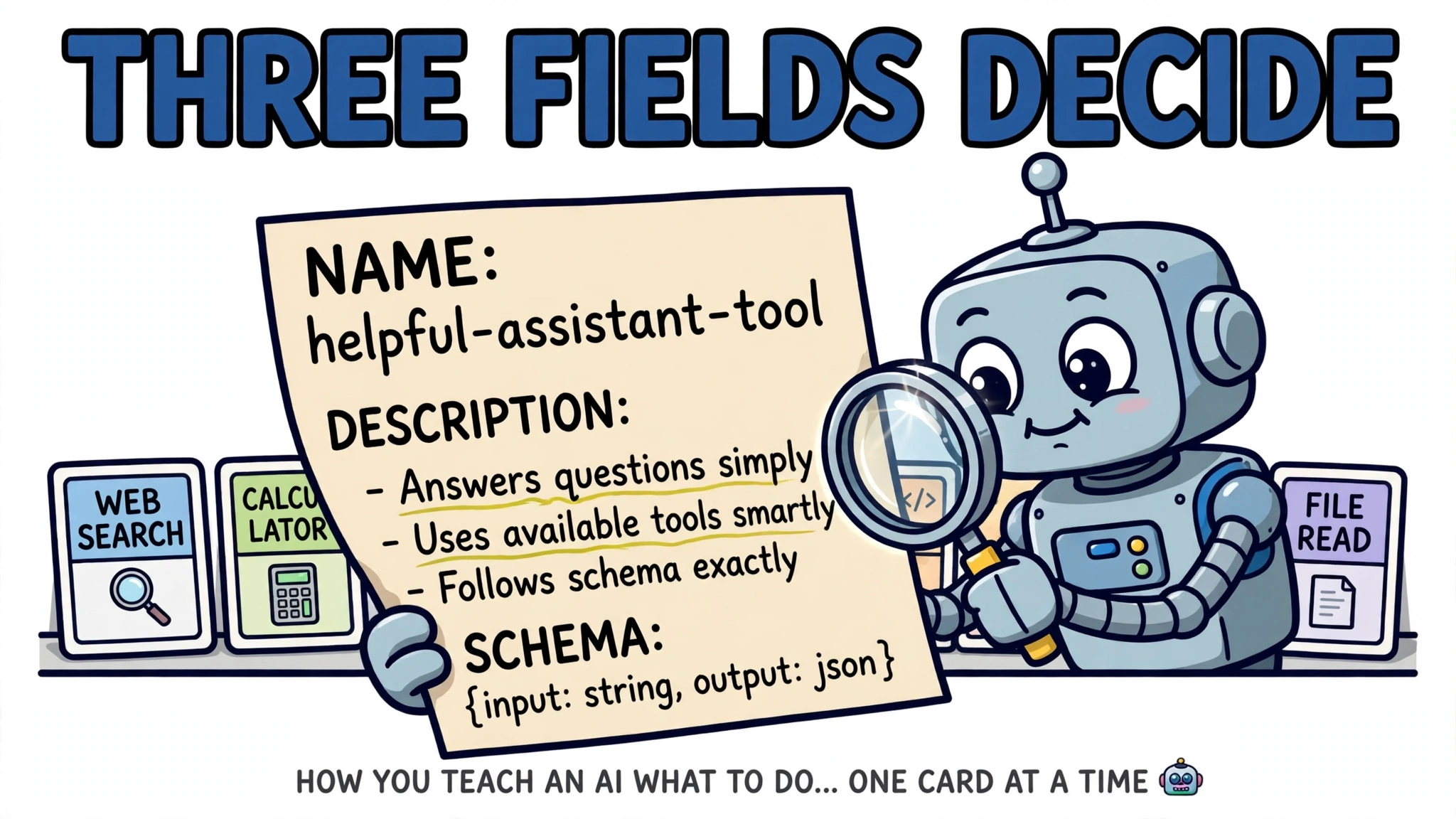
A model never sees your code. It sees a description of each tool, and that description is the entire interface between your system and the model’s decision. In Anthropic’s API, a tool definition has three parts: a name, a description, and an input schema written as JSON Schema. As one tool-use guide puts it, Claude relies entirely on these three fields to decide whether to call the tool and how to fill in its arguments. OpenAI’s format carries the same information, wrapped in a function object. Here is the tool definition the model sees, as a fragment:
{
  "type": "function",
  "function": {
    "name": "get_weather",
    "description": "Get the current weather in a given location",
    "parameters": {
      "type": "object",
      "properties": {
        "location": {
          "type": "string",
          "description": "The city and state, e.g. San Francisco, CA"
        },
        "unit": {
          "type": "string",
          "enum": ["celsius", "fahrenheit"]
        }
      },
      "required": ["location"]
    }
  }
}
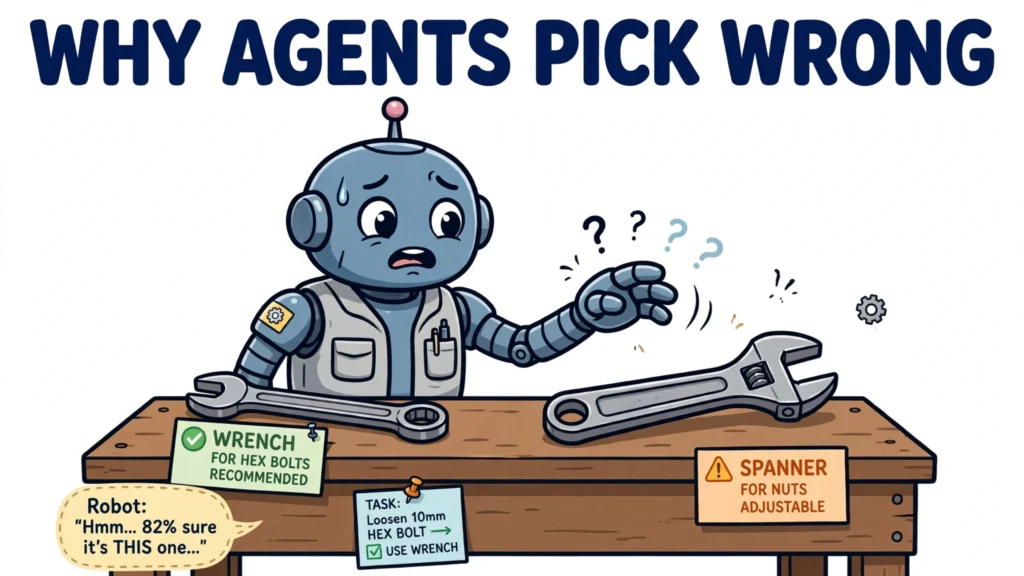
The description does more work than it looks. Anthropic’s cookbook advises that a good description covers three things: what the tool does, what information it returns, and when it should be used. Each parameter needs the same care: type, description, and constraints. When two tools have overlapping descriptions, the model has nothing to tell them apart, and calls land on the wrong one. The description is not documentation for humans; it is the selection signal the model reasons over.
There is also a cost to describing tools. Every tool’s name, description, and schema is sent with each request, consuming context window. Amazon’s Bedrock documentation measures the tool-use system prompt at 346 tokens for Claude Sonnet 4.5 and Opus 4.5 when tool choice is automatic — before any tool is even called. That is why Anthropic added a beta tool-search mechanism: tools can be marked to defer loading, so Claude finds and loads only the tools it needs instead of receiving hundreds of definitions up front.
How the Model Decides Which Tool to Invoke
By default, the model decides. OpenAI’s documentation states that by default the model will decide when it is appropriate to use one of the functions, and the default tool_choice of “auto” lets the model determine whether a tool is needed. The model weighs the user request, the conversation so far, and each tool’s description, and then either answers directly or emits one or more tool calls.
Anthropic’s cookbook demonstrates the decision with a single web-search tool and two different prompts. Asked “What color is the sky?”, Claude does not call a tool. Asked “Who won the 2024 Miami Grand Prix?”, it calls the search tool. These are two observed outcomes, not a controlled experiment: they are consistent with the model weighing the request against the tool description, but they do not show what the model knew, or that knowledge alone caused either decision.
The model may also call several tools at once. OpenAI enables parallel tool calls by default, so a single response can contain multiple tool calls, for example looking up the weather in two cities in one turn. And when you do not want the model to decide, both APIs let you override it. OpenAI offers tool_choice values of “auto”, “none”, “required” (call at least one tool, model chooses which), or a specific function. Anthropic offers three modes: “auto”, “any” (must use one of the provided tools, without naming which), and a specific tool by name. Forcing a tool suits structured-data extraction or cases where a specific call must happen; leaving the choice automatic is the norm for open-ended agents — though neither choice guarantees the model picks correctly.
The following complete example shows the decision in action with OpenAI’s API. It defines one tool, asks a question, and handles whatever the model decides — a tool call or a direct answer:
import json
from openai import OpenAI

client = OpenAI()


def get_weather(location, unit="celsius"):
    # In a real agent this calls a weather API; here it returns a fixed reading.
    return {"location": location, "temperature": 22, "unit": unit, "conditions": "partly cloudy"}


tools = [
    {
        "type": "function",
        "function": {
            "name": "get_weather",
            "description": "Get the current weather in a given location",
            "parameters": {
                "type": "object",
                "properties": {
                    "location": {"type": "string", "description": "The city and state, e.g. San Francisco, CA"},
                    "unit": {"type": "string", "enum": ["celsius", "fahrenheit"]},
                },
                "required": ["location"],
            },
        },
    }
]

messages = [{"role": "user", "content": "What's the weather like in Tokyo?"}]
max_turns = 5
for _ in range(max_turns):
    response = client.chat.completions.create(
        model="gpt-4o",
        messages=messages,
        tools=tools,
        tool_choice="auto",
    )
    response_message = response.choices[0].message
    if not response_message.tool_calls:
        print(response_message.content)
        break
    messages.append(response_message)
    for tool_call in response_message.tool_calls:
        args = json.loads(tool_call.function.arguments)
        result = get_weather(**args)
        messages.append({
            "role": "tool",
            "tool_call_id": tool_call.id,
            "content": json.dumps(result),
        })
else:
    print("Stopped after reaching the turn limit.")
Notice what the code does not do: it never tells the model to call get_weather. Under automatic tool choice, the model reads the question, reads the tool description, and decides. The code executes each decision, returns each result, and caps the loop at five turns — the application, not the model, decides when to stop.
The Tool-Calling Loop in Practice
One call is rarely the whole task. Real agents run a loop: the model emits a call, the system executes it, the result returns as a new message, and the model continues — calling more tools or answering — until it has enough information. OpenAI signals a tool call with a finish_reason of “tool_calls”; Claude signals it with a stop_reason of “tool_use”, and the loop ends when the stop reason becomes “end_turn”.
The pattern behind the loop has a name: ReAct, from a 2022 paper by Yao and colleagues, “ReAct: Synergizing Reasoning and Acting in Language Models”. ReAct interleaves verbal reasoning traces with actions, so the model can create, maintain, and adjust its plan as it goes, handle exceptions, and ground its next step in fresh information from the environment. The paper’s abstract states that reasoning traces help the model induce, track, and update action plans as well as handle exceptions, while actions allow it to interface with external sources such as knowledge bases or environments. On question answering and fact verification, ReAct overcomes the hallucination and error propagation common in pure chain-of-thought reasoning by interacting with a simple Wikipedia API — and on two interactive decision-making benchmarks, ALFWorld and WebShop, it beat imitation and reinforcement learning methods by 34 and 10 percentage points of absolute success rate, using only one or two in-context examples.
A worked example shows the loop chaining two tools. A user asks: “What is 15% of Apple’s current share price?” The model cannot answer from memory, so it first calls a stock-price tool. The result comes back, say $210, and the model then calls a calculator with “210 * 0.15”. Only when the second result returns does it answer: $31.50. Each call is informed by the previous result. The same loop in Anthropic’s API looks like this:
import json
from anthropic import Anthropic

client = Anthropic()


def get_weather(location, unit="fahrenheit"):
    # In a real agent this calls a weather API; here it returns a fixed reading.
    return {"location": location, "temperature": 72, "unit": unit, "conditions": "sunny"}


tools = [
    {
        "name": "get_weather",
        "description": "Get the current weather in a location",
        "input_schema": {
            "type": "object",
            "properties": {
                "location": {"type": "string", "description": "City and state, e.g. San Francisco, CA"},
                "unit": {"type": "string", "enum": ["celsius", "fahrenheit"], "description": "Temperature unit"},
            },
            "required": ["location"],
        },
    }
]

messages = [{"role": "user", "content": "What's the weather in Tokyo?"}]
response = client.messages.create(
    model="claude-sonnet-4-20250514",
    messages=messages,
    tools=tools,
    max_tokens=1024,
)
while response.stop_reason == "tool_use":
    messages.append({"role": "assistant", "content": response.content})
    tool_results = []
    for block in response.content:
        if block.type == "tool_use":
            result = get_weather(**block.input)
            tool_results.append({"type": "tool_result", "tool_use_id": block.id, "content": json.dumps(result)})
    messages.append({"role": "user", "content": tool_results})
    response = client.messages.create(
        model="claude-sonnet-4-20250514",
        messages=messages,
        tools=tools,
        max_tokens=1024,
    )
print(response.content[0].text)
The loop runs until Claude has enough information to answer. Your code does not choose the tool — it executes the model’s proposal, returns the result, and controls whether the loop runs again.
When Tool Selection Goes Wrong

The most documented failure is the wrong tool. When two tool descriptions overlap, the model has nothing to distinguish them, and calls land on the wrong one. The fix is on the description side: rename the tools, narrow each description to its own purpose, and spell out the boundary against the similar tool. Splitting one generic tool into purpose-specific tools with clear input and output contracts is the same fix at a larger scale.
Other failures are widely reported by developers, though not pinned to a vendor document. A model can invent arguments that do not match the schema, call the same tool repeatedly in a loop, or keep calling tools when a direct answer would do. The mitigations are practical rather than clever: validate arguments before executing, so a malformed call fails in your code instead of in the model; cap the number of loop iterations, so a stuck agent stops instead of burning context; and require a human checkpoint before any tool that changes something irreversible.
Over-use deserves its own mention. The sky-colour example shows a model answering directly without a tool, but models also err in the other direction, reaching for a search or a lookup when a direct answer would do. Each unnecessary call costs time, tokens, and a round trip, and each result takes up context the model must then carry. Useful results ground the next step — that is the point of the loop — but unnecessary or irrelevant ones are pure overhead, and can make the next decision harder to get right.
Designing Reliable Tool Use
Reliable tool use starts with fewer, better tools. A small set of well-described tools beats a large set of vague ones, because every tool the model can see is another candidate it must choose between — and another definition consuming context. The description is the main thing the model knows about the tool, alongside the request and the conversation, so write it as if the decision depended on it — because it largely does.
Then build the guardrails around the loop. Validate arguments and handle tool errors in your code before the model ever sees them, so a failed call returns a clean error the model can reason about. Log every call — tool name, arguments, result, and the model’s reasoning where available — so selection failures are visible instead of mysterious. And test selection the way Anthropic’s cookbook does: ask questions the agent should answer without tools, and questions it must use tools for, and check the model draws the line in the right place.
Tool use in AI agents is a simple idea with a demanding interface: the model proposes which tool to call and with what arguments, weighing the request, the conversation, and the tool descriptions, while the application decides whether each call runs; your code executes, returns, and loops. Get the descriptions right, keep the loop bounded and observable: clear definitions are the guidance the model selects from, the loop bound is the control that stops a runaway agent, and the log is how you spot the calls that went wrong — so a bad choice is visible, and the description behind it can be fixed.