
AI agents are the most talked-about idea in software right now, and also one of the least clearly defined — vendors call chatbots agents, automation tools agents, and simple assistants agents. In the sense this article uses it, AI agents are software systems that take a goal, work out the steps to reach it, use tools to act in the world, check their own results, and adjust when something goes wrong, all without a person driving each step. This article explains what AI agents are, how they differ from the software you already know, and when they are the right tool for the job.
What AI agents are
Start with the scope, because the term is broader than the systems most people mean today. The AI-agent concept predates the current wave of large language models and includes rule-based agents that have existed for years. This article covers modern foundation-model agents specifically — systems built on large language models that can read a goal in plain language. McKinsey describes agentic systems broadly as digital systems that can independently interact in a dynamic world, able to plan actions, use online tools, collaborate with other agents and people, and learn to improve.
McKinsey puts the shift in one sentence: “We are beginning an evolution from knowledge-based, gen-AI-powered tools—say, chatbots that answer questions and generate content—to gen AI–enabled ‘agents’ that use foundation models to execute complex, multistep workflows across a digital world. In short, the technology is moving from thought to action.” The key word is action. A chatbot answers; an agent does.
Under the surface, an agent runs a loop: it perceives (reads the ticket or the inbox), reasons (works out what happens next), acts (calls a tool, updates a record, sends a message), then checks the result and decides whether the goal is met, whether another step is needed, or whether a human should take over. The canonical form is ReAct, introduced by Yao and colleagues in 2022: the model generates a reasoning trace (a Thought), takes a task-specific action such as a tool call (an Action), and reads the result back as an observation (an Observation), repeating until it produces a final answer. Interleaving reasoning with acting reduced hallucinated facts on knowledge tasks and beat baselines by 34 percentage points on ALFWorld and 10 points on WebShop.
OpenAI describes the same idea in engineering terms: an agent has three core components — the model (the language model powering reasoning and decisions), the tools (the external functions or APIs it uses to act), and the instructions (the guidelines and guardrails defining its behaviour). OpenAI’s definition is short: “Agents are systems that independently accomplish tasks on your behalf.” Such an agent uses the model to manage workflow execution, recognises when a workflow is complete, proactively corrects its actions when needed, and in case of failure can halt execution and transfer control back to the user.
AI agents vs traditional software
The sharpest way to tell them apart is one question: who decides what step happens next? Anthropic draws the line exactly there: in a workflow, language models and tools are orchestrated through predefined code paths, so your code decides the sequence; in an agent, the model dynamically directs its own process and tool usage, so the model decides. Both can use tools; the difference is who is in charge of the path.
Traditional software, in the typical case, follows rules written in advance: the same input gives the same output, because a person already decided what should happen in each situation. A modern agent plans steps toward a goal, uses feedback from each step to choose the next one, and adapts when the world does not match its expectations. The comparison is between approaches, not absolute categories: conventional programs can include adaptive logic, and a workflow with a model inside it can suit a predictable task.
| Dimension | Traditional software | Modern AI agent |
|---|---|---|
| Who decides the next step | The programmer, in advance | The model, at run time |
| The unexpected | Fails or follows a pre-written error branch | Replans, retries, or hands off to a person |
| Failure | Stops, or fails silently if the rules are wrong | Can correct itself, or halt and hand over |
Take a refund request done both ways. The traditional version is a script: look up the order, check the refund rules, issue the refund if the rules allow it, otherwise reject it — every branch written by a person, and anything unanticipated becomes an error. The agent version is given the goal — resolve this refund fairly — and the tools to do it: the order system, the returns policy, and the refund API. It reads the ticket, checks the policy, and decides whether the refund fits its approved limit; if the request is outside its authority, it hands it to a person with a summary. The work is the same; the difference is who works out the steps.
AI agents vs chatbots, scripts, and automation
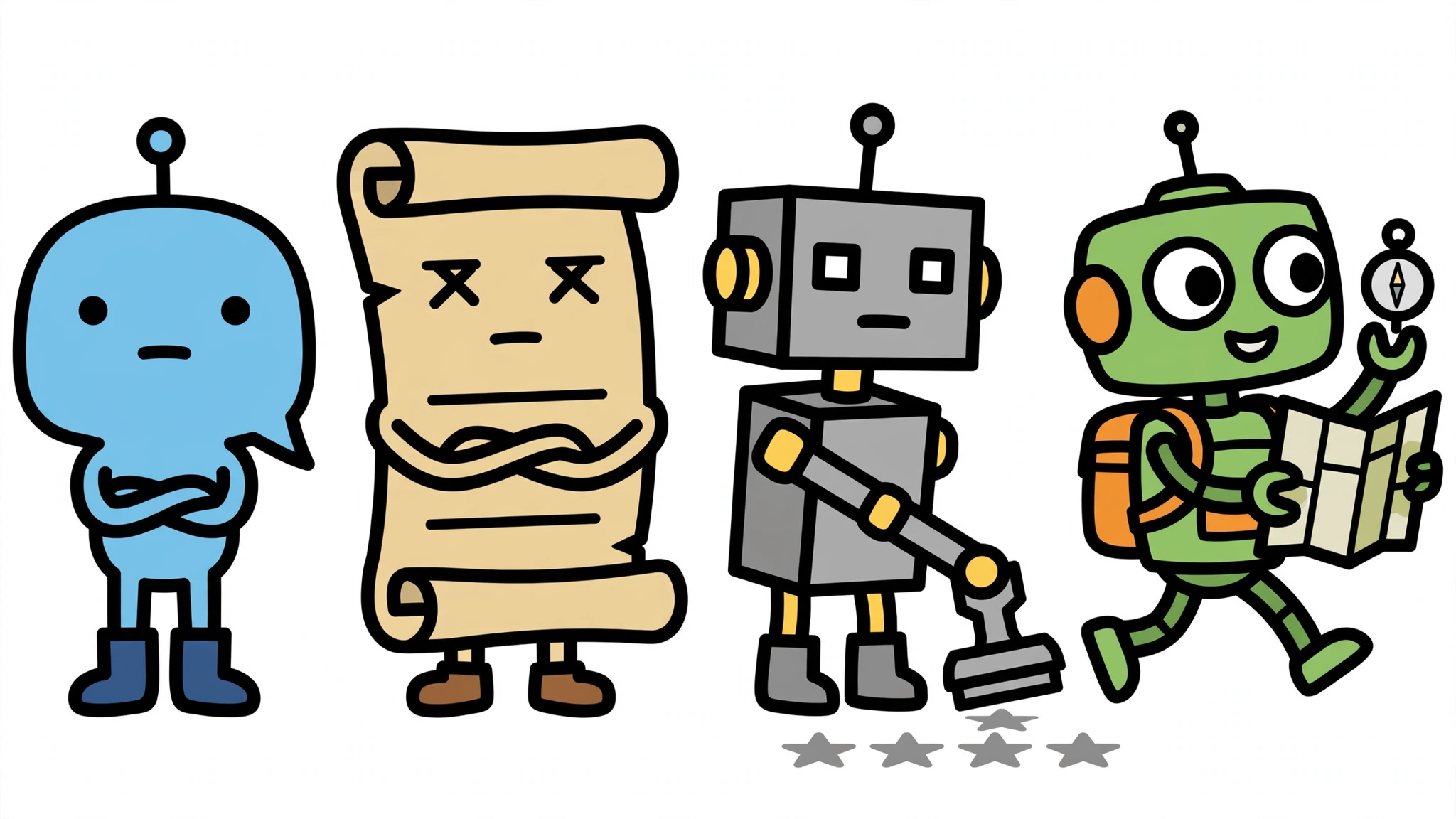
Three near-neighbours cause most of the confusion. Each one below is an illustrative baseline — a typical example of its kind, not a claim about every system that carries the label.
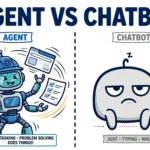
A basic chatbot is the simplest baseline: it responds one message at a time. OpenAI is explicit that applications integrating language models that do not use them to control workflow execution — simple chatbots, single-turn language models, or sentiment classifiers — are not agents. But the format is not the test: a chat interface can expose an agent underneath, so the distinction is about the system behind the interface.
A fixed script is the second baseline: a set sequence of instructions that runs the same way every time and does not replan when something changes; if step three fails, the script stops or follows a pre-written error branch. Scripts and automation can include adaptive logic, so the comparison is against the fixed-sequence baseline — a script is a list of steps someone already wrote, while an agent writes its own steps as it goes.
Recorded robotic process automation, or RPA, is the third baseline. UiPath defines RPA as software robots that mimic and integrate human actions within digital systems. The baseline this article compares against is recorded RPA in the narrow sense: a robot configured to repeat a recorded sequence of a person’s clicks and keystrokes — a clearly labelled illustration, not part of UiPath’s definition. RPA robots decide based on predefined rules and target processes that are highly manual, repetitive, rule-based, with a low exception rate and standard readable input. Modern RPA can add AI capabilities, so again the comparison is against the recorded-sequence baseline — a recording that repeats what a person did, against an agent that decides what to do next.
One short example shows where the baselines differ. A customer writes: “My order arrived damaged and I need a replacement before Friday.” A basic chatbot answers with the returns policy. A fixed script files a replacement request if the policy allows it, or fails if any field is missing. A recorded RPA bot copies the order details into the returns system. A modern agent reads the ticket, confirms a replacement can arrive before Friday, books it, and tells the customer — or offers alternatives and hands the case to a person if the date cannot be met. The chatbot informs, the script executes, the RPA bot repeats, and the agent pursues the goal.
How an AI agent works, step by step
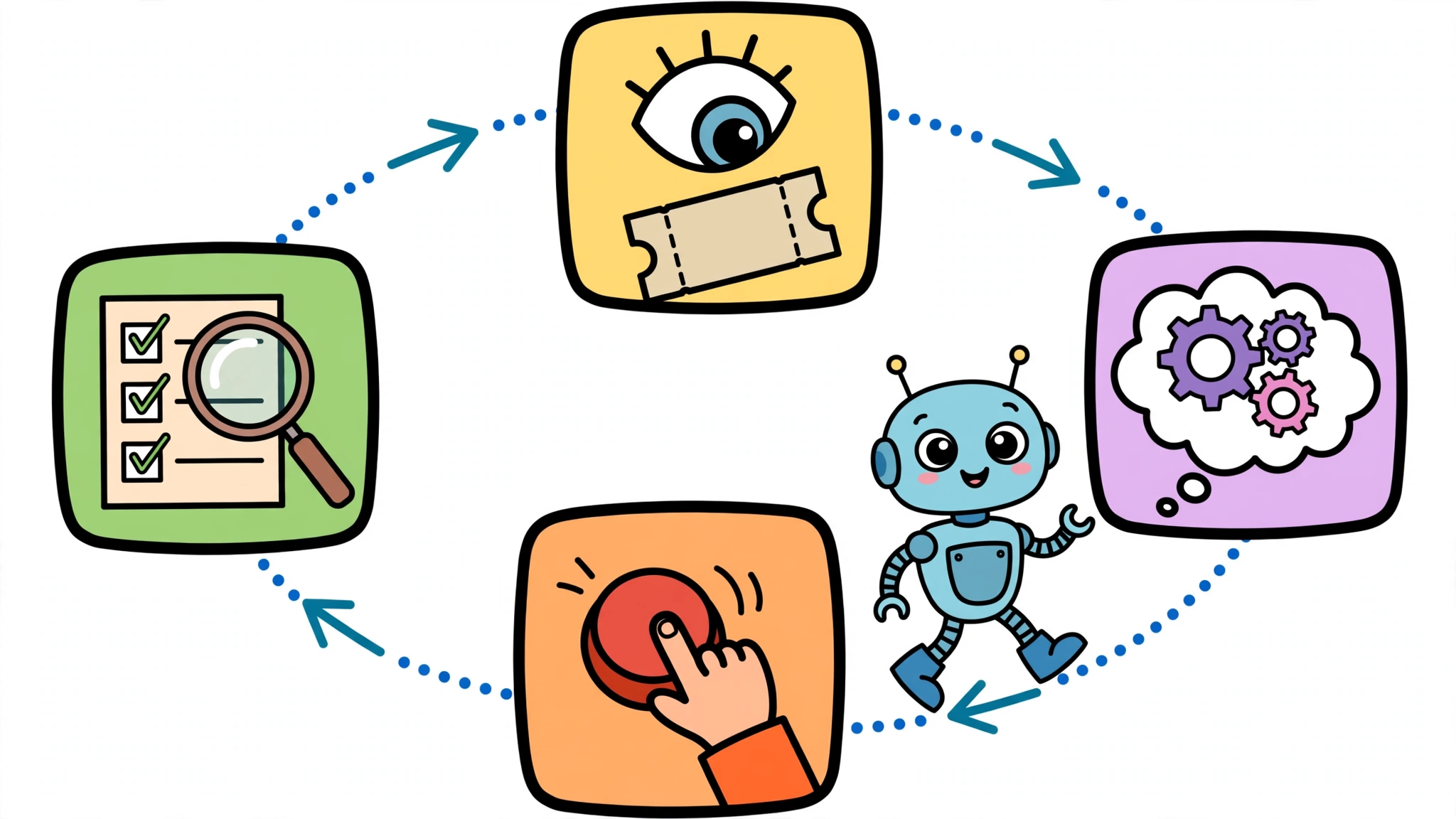
The loop is easier to see in one worked example: a support agent resolving a ticket about a late delivery. It perceives — reads the ticket and checks the order status. It reasons — the order is three days late, the customer wants a delivery date, and the policy allows a reshipment after two days. It acts — calls the delivery API to confirm the parcel’s location, then calls the reshipment tool. It checks the result — the reshipment is confirmed, with a new delivery date — reasons once more that the goal is met, and writes the reply. If the reshipment had failed, the loop would continue: retry once, check the policy for a refund instead, or hand the ticket to a person with a summary of what was tried.
The ReAct pattern describes this loop in its simplest form. The sketch below is a simplified illustration of the sequence, not a working program:
while goal_not_met and steps_remaining:
    thought = reason_about(goal, history)
    action = choose_tool(thought, available_tools)
    observation = run(action)
    history.append(thought, action, observation)
    if observation.shows_goal_met:
        goal_not_met = False
finish_with_answer(history)
Two details matter most. Every tool the agent can use is a deliberate permission decision, not an accident: the agent can only do what its tools allow. And the loop needs an exit that matters as much as the loop itself: stopping, handing control to a person, and keeping a record of what was tried are safeguards that must be designed into the agent — they are not automatic properties of every agent. In this example, if a step fails and cannot be fixed by retrying or replanning, the agent is designed to stop and hand control to a person, with a record of what it tried.
What AI agents can do in practice
The best-documented uses are where a goal is clear, the tools exist, and the cost of a mistake is bounded. LangChain’s State of Agent Engineering 2026 survey of 1,340 practitioners found that 57.3% had agents in production, up from 51% in the previous survey. Customer service was the most common primary use case at 26.5%, with research and data analysis close behind at 24.4%. A support agent can read a ticket, check the returns policy, and resolve routine cases end to end. The agent’s value is not that it is clever, but that it carries a multi-step task through to completion without someone babysitting each step.
Interest is far ahead of depth: McKinsey’s State of AI 2025 survey of 1,993 participants in 105 nations found 62% of organisations at least experimenting with agents — 23% scaling somewhere, 39% experimenting — but no more than 10% scaling agents in any single function.
Human approval is where the loop meets the organisation. One illustrative design is risk-tiered: low-risk work such as drafting a summary runs automatically, medium-risk work such as a customer reply is sampled and audited, and high-risk, consequential or irreversible actions such as a payment are held for human approval. These tiers are a design proposal, not verified practice — the thresholds depend on the application and on the authority the agent has been granted, and different organisations will draw the lines differently. The agent’s instructions are where those boundaries are written down, and the audit trail is what makes them verifiable after the fact.
Where AI agents fall short
The honest limit is accuracy. In McKinsey’s 2025 survey, 51% of organisations using AI reported at least one negative consequence, and inaccuracy was the most common cause, at 30%. LangChain’s survey agrees from the builders’ side: quality was the biggest barrier to production, cited by 32%, ahead of latency at 20%. An agent can take wrong steps confidently: a small misreading early on can compound into a wrong outcome that still looks coherent.
Cost and speed are the second limit. Anthropic’s advice is blunt: agents trade latency and cost for better task performance, so a task with a known, fixed sequence of steps is usually cheaper and faster as a workflow. Gartner’s June 2025 forecast predicted over 40% of agentic AI projects will be cancelled by the end of 2027 for escalating costs, unclear business value, and inadequate risk controls. The common mistakes follow: too much permission turns a small error into a large one, no audit trail means nobody can reconstruct what the agent did, and no human checkpoint removes the control that catches errors the agent cannot see.
Do you need an AI agent?
Four questions help decide it — as suitability guidance, not as a definition of what an agent is. Is the goal genuinely multi-step, with steps that depend on what the agent discovers along the way? Do the inputs change — free text, missing data, exceptions — in ways fixed rules would struggle with? Do the tools exist, with permissions you can scope? And what does a wrong step cost — can a human checkpoint catch it? If the answers are yes, yes, yes, and “catchable”, an agent is worth testing.
When the answers point the other way, traditional software is usually the better choice: a task with three known steps and clean inputs is a good reason to prefer a simpler workflow — not proof that the system is not an agent, since an agent implementation is still possible and many production systems are hybrids, with an agent loop inside a predefined workflow. Building it as an agent is likely to cost more and run slower, because agents trade latency and cost for task performance. Anthropic’s rule is the one to remember: start with the simplest solution that can solve the task, and add agentic complexity only when it addresses a clearly identified limitation.
Finally, when a vendor sells you an “agent”, ask the question Anthropic’s distinction makes possible: who decides the next step — your code, or the model? If the answer is your code, you are buying a workflow, which may be exactly what you need. If the answer is the model, ask what tools it can use, what guardrails bound it, and what happens when it fails — those answers tell you more than the label on the box.